Parameter Store
We use AWS Systems Manager Parameter Store to centrally store values that can be used by services and functions.
Steps
flowchart LR
  A[1. Create a new parameter]
  B[2. Update value of parameter];
  C[3. Use parameter]
  A --> B --> C
Step 1: Create a new parameter
Edit the parameters-property of the SSM Parameter Store module.
In this example, we add a new parameter named SvarUt/BaseUrl:
| ssm.tf | |
|---|---|
Create a Pull Request to Terraform apply this change.
Note that parameters created by this module are prefixed with ${environment}/${application_name}/.
In this example, the resulting parameter will therefore have the name: test/kattehotell/SvarUt/BaseUrl.
Step 2: Update value of parameter
- Log in to the AWS Account's console: https://bymoslo.awsapps.com/start
- Navigate to AWS Systems Manager > Parameter Store.
- Navigate to the parameter you just created (e.g. in this example
test/kattehotell/SvarUt/BaseUrl). - Click Edit.
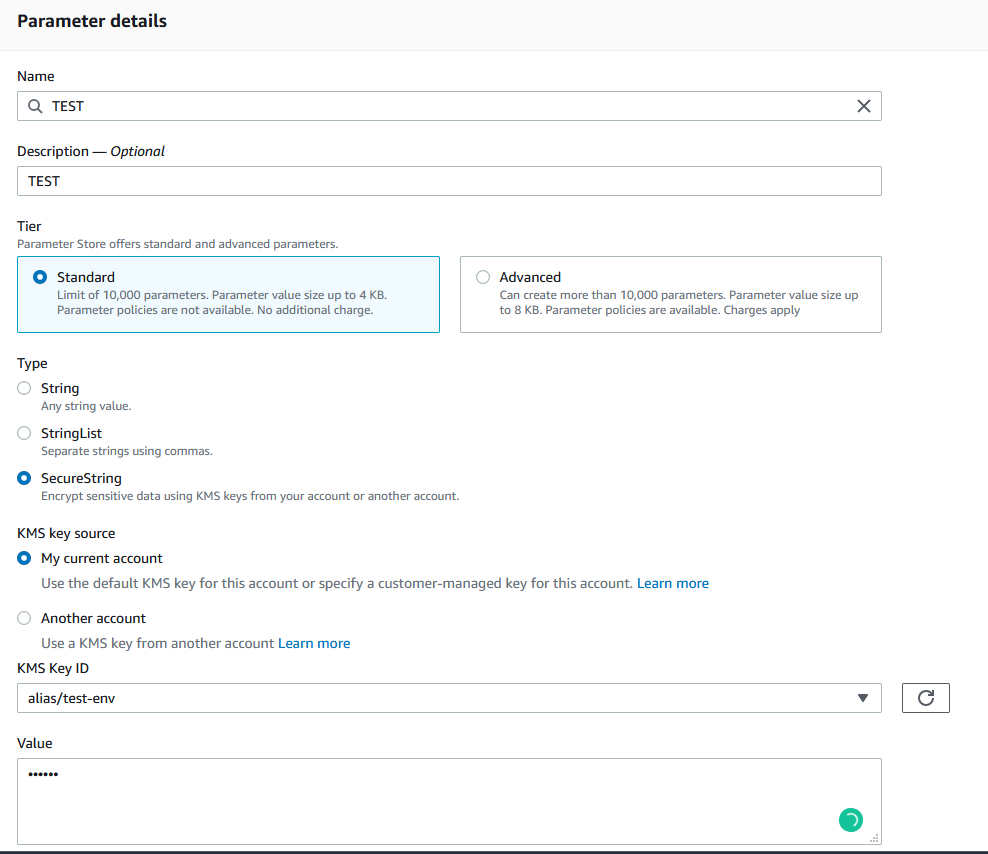
- Update the value and press Save Changes.
Step 3: Use the parameter in application
ECS Fargate
To use this parameter in an existing Fargate, add a new entry in ssm_secrets that references to the ARN of the parameter you've created.
| main.tf | |
|---|---|
After this change has been applied, the parameter value will be available as an environment variable.
In this example, the parameter value will be reachable under the environment variable SVARUT_BASEURL.
AWS Lambda Function
To use this parameter in an existing Lambda Function, we have to retrieve the parameter value by using the data source aws_ssm_parameter, and feed its output to environment_variables:
Note
In some Terraform projects we have more than one SSM Parameter Store module. In such cases, you should create a data source per module, i.e.:
Create a Pull Request to Terraform apply this change.
After this change has been applied, the parameter value will be available as an environment variable.
In this example, the parameter value will be reachable under the environment variable SVARUT_BASEURL.